
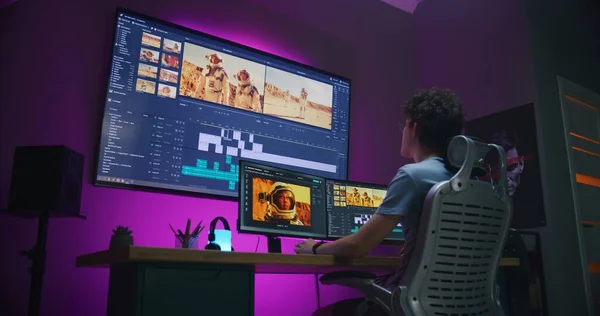
Opening a video editor used to mean staring at an empty timeline and wondering what should go there first. Even when all the footage was ready, someone still had to review every clip, identify the useful moments, decide on an order, trim the obvious mistakes, and begin shaping a story.
That blank timeline was not just empty space. It represented dozens of small decisions before the creative part of editing could really begin.
AI-assisted editing is starting to change that experience. Instead of beginning with nothing, creators can increasingly begin with instructions, selected footage, or a rough idea and receive something closer to a working draft. The editor still makes the important creative decisions, but the starting point is becoming far less empty.
The First Stage of Editing Has Always Been Heavy
People often think of video editing as transitions, effects, music, and color adjustments. In practice, much of the early work is less glamorous.
An editor may need to:
None of these tasks is particularly complicated on its own. Together, however, they can consume a large part of the editing process.
This is where AI is becoming useful. Its value is not necessarily that it can produce a completely finished video. A more practical benefit is helping creators get through that first organizational stage.
From Empty Timeline to Editable Draft
A prompt-based workflow changes how an editing session can begin.
Instead of manually dragging every clip onto a timeline and experimenting with different arrangements, a creator might provide footage and describe the intended result. Instructions could include the desired length, which moments matter most, how energetic the pacing should feel, or what order certain scenes should follow.
The system can then help turn those instructions into an initial sequence.
That draft does not need to be perfect. In fact, treating it as final would miss the point. Its real job is to give the editor something concrete to react to.
It is usually easier to say, “This opening is too slow,” or “That scene belongs earlier,” than to make every structural decision while looking at an empty workspace.
Natural Language Is Becoming Part of the Editing Interface
Another important change is how creators communicate with editing software.
Traditional editing requires people to learn where tools are located and how individual commands work. AI-assisted workflows introduce another layer: ordinary language.
Someone searching for a ChatGPT video editor online may be looking for a way to describe an editing task instead of manually performing every setup step. The idea is increasingly practical, although individual tools differ in where and how these workflows operate.
A creator might describe the result in straightforward terms:
“Keep the strongest product shots and make the opening quicker.”
“Remove long pauses and build a short social-media version.”
“Start with the reaction shot, then explain what happened.”
These instructions express editing intent rather than individual button presses. That can make the initial stage more approachable, especially when the creator already knows what the video should feel like but does not want to build the first sequence manually.
AI Works Best When the Creator Gives It Direction
AI cannot automatically know why one moment matters more than another.
A technically clean clip may be less useful than a slightly imperfect one containing an important reaction. A longer pause might look unnecessary to an automated system but be essential for comedy, suspense, or emotion.
That means better instructions usually lead to a more useful starting draft.
Creators should think about four things before asking AI to organize footage:
Purpose
Is the video explaining, entertaining, selling, documenting, or summarizing something?
Audience
A short social clip may need very different pacing from a tutorial or interview.
Priorities
Identify moments, speakers, products, scenes, or messages that cannot be removed.
Length
Giving the system a target duration can prevent the first draft from becoming unnecessarily broad.
Clear direction helps AI handle organization while leaving interpretation to the creator.
The Blank Timeline Is Becoming a Reviewable Timeline
This may be the biggest change AI brings to early-stage video editing.
The creator no longer has to make every preliminary decision before seeing a possible structure. AI can help provide a first arrangement, and the editor can respond to it.
That shifts the opening question from “Where do I begin?” to “What should I change?”
It is a subtle difference, but an important one.
Conclusion
AI is not making the creative judgment behind video editing unnecessary. If anything, it may make that judgment more visible by reducing some of the repetitive setup that comes before it.
The emerging workflow is less about asking software to make every decision and more about reaching an editable starting point sooner. Creators still control the story, pacing, emphasis, and final polish.
The blank timeline may not disappear completely. But increasingly, editors can begin with a draft instead of an empty space, giving them more time to focus on the decisions that actually make a video worth watching.